





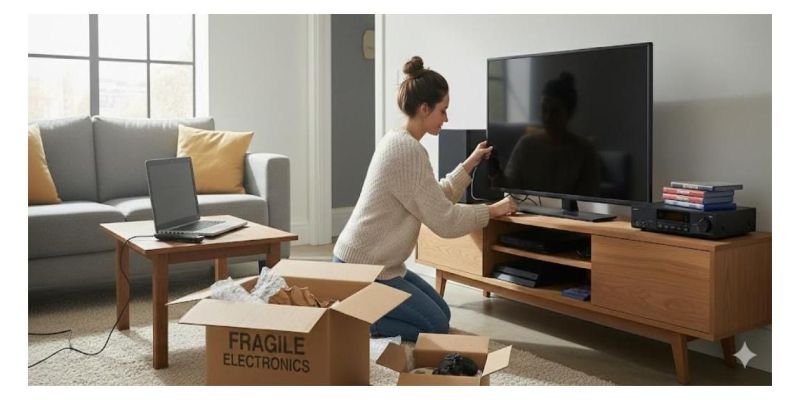
Electronics are among the most vulnerable items you own. Devices like laptops, desktop computers, TVs, gaming consoles, and audio gear have delicate components, screens, circuit boards, and connectors that can easily suffer damage from shock, vibration, moisture, or even static electricity during a move.
Even a small bump or internal jostling can crack a screen or damage internal parts. Without proper packing, the cost of replacing or repairing electronics often far exceeds the cost of good packing supplies. Investing time and care into packing electronics pays off, especially when you use quality materials.
Key Packing Supplies You Should Use
Before you begin packing, gather all the right materials. When you source materials from StarBoxes.com, you tap into a full lineup of professional-grade packing supplies: sturdy boxes, bubble rolls, packing peanuts, tape, mailers, stretch wrap, and more.
Here's what to have ready:
- Sturdy moving boxes — ideally double-walled or heavy-duty corrugated boxes, sized appropriately for each device.
- Anti‑static bubble roll/paper or foam — for cushioning and to prevent electrostatic discharge (ESD) that can damage electronics.
- Packing peanuts or foam inserts / void-fill material — to fill empty spaces in boxes so devices don't shift.
- Packing paper, stretch wrap, or protective covers/blankets — for extra padding, especially around screens or corners of TVs or monitors.
- Strong packing tape — to securely seal boxes so they don't open mid-transport.
- Zip lock bags or small bags/envelopes — useful for storing cables, accessories, or small components. StarBoxes.com offers zip lock bags and mailers that can be handy for such items.
- Labels / permanent markers — to mark boxes as “Fragile,” note contents, and indicate orientation (e.g. “This Side Up”).
If you don't already have them, ordering the right quantity of each, with StarBoxes.com's bulk ordering or standard pack sizes, ensures you're fully prepared before packing begins.
Step-by-Step Guide on How to Pack Electronics Safely
Here's the process to pack electronics the right way. Follow carefully. Each step builds on the previous to maximize protection.
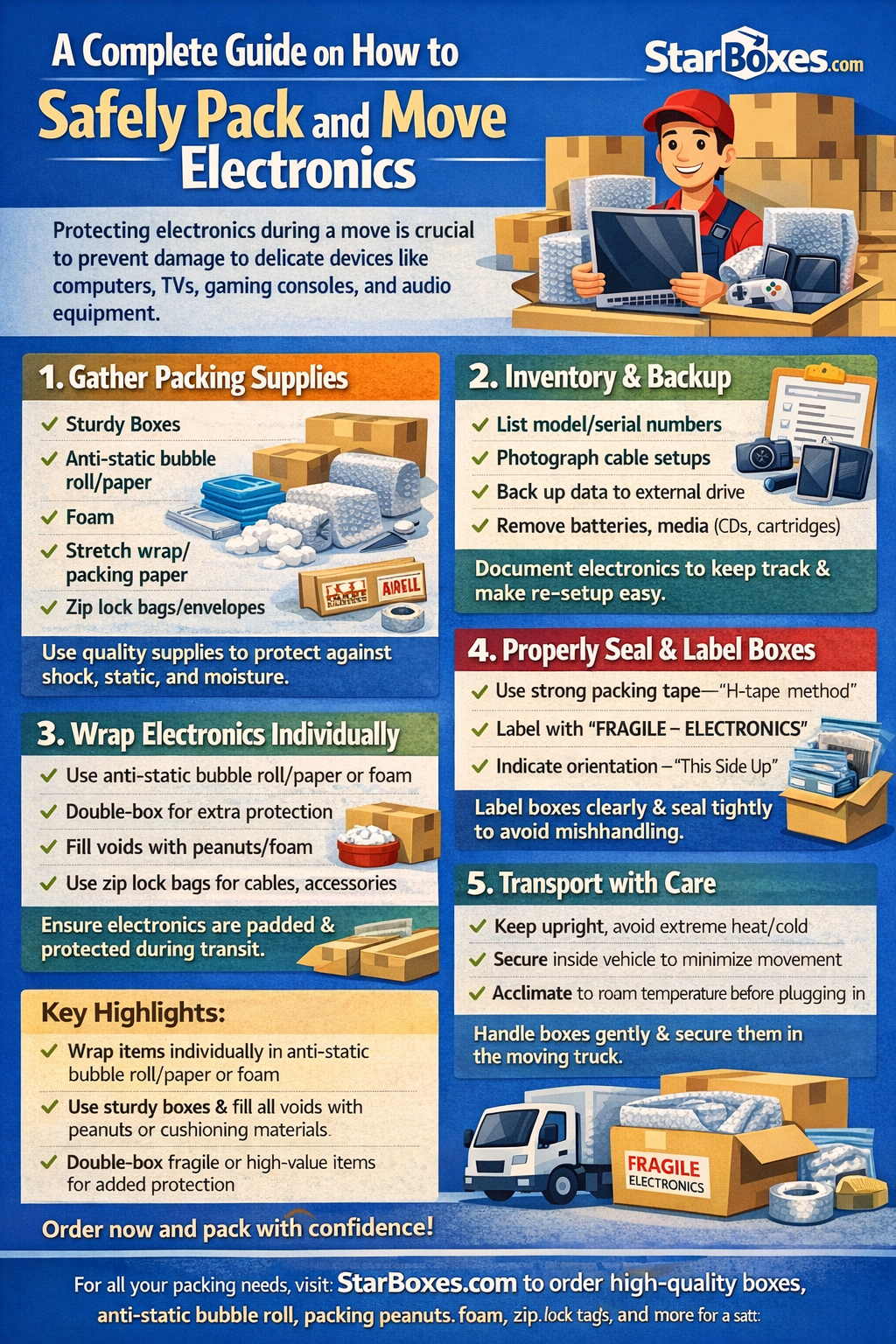
1. Take Inventory & Prepare Devices
- List out all the electronics you plan to move. Take note of each item's model, serial number, especially for expensive devices.
- Photograph connections (especially for PCs, entertainment centers, TVs) before disconnecting cables. That makes re‑assembly much easier.
- Back up data from devices like computers, external hard drives, and gaming consoles. This protects you if something gets accidentally damaged.
- Remove removable media (CDs, DVDs, cartridges), batteries, ink cartridges (for printers), and store them separately, preferably in labeled zip lock bags or small boxes.
2. Use Anti‑Static Precautions
For sensitive electronics, such as desktop PCs, laptops, circuit boards, and consoles, static electricity can be a hidden threat. Wrap these items in anti-static bubble roll/paper or anti-static foam, or place them inside anti-static bags (sometimes called ESD bags) before any other wrapping.
Anti-static protection helps prevent electrostatic discharge (ESD) that can fry delicate circuits, an especially important step if you're moving or shipping electronics.
3. Wrap Individually — With Cushioning
- Wrap each device separately in multiple layers of anti-static bubble roll/paper (or foam).
- For TVs or monitors with screens: first cover with a soft blanket or protective cover (never newspaper — it can scratch). Then wrap with padding, and add rigid protection (like a cardboard piece) across the screen if possible.
- For smaller items (tablets, smartphones, cameras, consoles), wrapping individually helps prevent scratches and avoids different items rubbing against each other.
4. Use Proper Boxes & Fill Voids
- Choose a box slightly larger than the wrapped item, allowing at least 1–2 inches of space on all sides for padding.
- Line the bottom with cushioning (bubble roll/paper or packing peanuts) before putting the device in.
- After placing the device, fill all empty spaces (voids) with packing peanuts, foam inserts, crumpled packing paper, or soft cloth/padding — so the device cannot shift inside the box.
- For very delicate or high-value electronics, consider double-boxing: place the padded inner box inside a second, larger box with more filler. This provides an extra layer of protection against impact.
5. Seal, Label, and Organize
- Use strong packing tape. Secure the bottom seams first, then across all edges and seams on top. The “H-tape” method (taping across the center and along edges) adds strength.
- Clearly mark each box: list contents (“Tablet,” “Desktop PC monitor,” etc.), write “FRAGILE – ELECTRONICS”, and optionally note which side goes up.
- Keep cables, accessories, power cords, remote controls, and small components in separate zip lock bags or small boxes — labeled by device. This prevents them from scratching or damaging the main units and makes re‑assembly easier.
6. Handle Transportation with Care
- Pack heavier devices at the bottom and lighter ones above when stacking multiple electronics in a moving box or crate, to avoid crushing.
- For long-distance moves or shipping, consider climate-controlled transport or avoid leaving electronics in extremely hot or cold vehicles. Electronics are sensitive to temperature fluctuations and humidity.
- After arrival, let devices acclimate to the room's temperature before plugging back in — especially if they were exposed to cold or heat during transit.
How StarBoxes.com Supplies Simplify and Secure the Move
When you choose packaging supplies from StarBoxes.com, you benefit from:
- Durable boxes: sturdy, corrugated cardboard boxes that can handle the weight of heavy electronics while withstanding bumps during transit.
- Anti‑static bubble roll/paper / cushioning materials: perfect for sensitive electronics, reducing risk from static discharge and shock.
- Packing peanuts, foam fills, mailers: ideal for filling voids, protecting small accessories, and keeping everything immobile inside boxes.
- Zip lock bags and bubble mailers: excellent for organizing cables, chargers, and smaller components, keeping them safe, dry, and easy to locate.
- Packing tape and sealing supplies: ensure boxes stay sealed tight, reducing the risk of accidental opening or damage.
Because we offer all these in one place, you don't need to source different materials from multiple vendors. You can plan your move efficiently and have confidence in the protection level.
For those moving multiple electronics or even running a small business that ships tech devices, ordering in bulk via StarBoxes.com can reduce per‑unit cost, while ensuring you always have enough supplies on hand.
Typical Electronics — Specific Packing Considerations
Here's how to pack different types of electronics safely:
|
Device Type |
What to Do / Why It Matters |
|
Desktop PC / Tower |
Back up data, photograph cable layout, remove peripherals, wrap tower in anti-static bubble roll/paper, pad inside a box with 2 in. padding. Separate hard drives or especially sensitive components if desired. |
|
Monitors / Flat-Screen TVs |
Use blanket or soft cover first (never paper directly on screen), then wrap with padding, add rigid screen protection (cardboard), place in sized box, fill voids, label Fragile. |
|
Laptops / Tablets / Small Gadgets |
Use anti-static wrap or bag, add cushioning, pack individually, store chargers/cables separately in zip lock bags, label. |
|
Gaming Consoles / Audio Equipment / Peripherals |
Remove discs or cartridges, wrap individually, pack with cushioning, group similar items, but avoid mixing heavy and fragile pieces together. |
|
Cables, Accessories, Removable Parts |
Use zip lock bags or small mailers; label each with its device name. This keeps them from damaging devices and helps with easy reassembly. |
Common Mistakes to Avoid
- Relying on old newspapers or regular paper directly on screens. Newspapers can scratch surfaces or leave ink residue.
- Using regular bubble roll/paper instead of anti-static cushioning for sensitive electronics, risking static discharge.
- Overpacking a box without leaving sufficient cushioning can cause items to press against each other and become damaged.
- Forgetting to label boxes or mark orientation increases the risk of mishandling by movers.
- Packing all devices together (e.g., putting laptop, chargers, cables, and peripherals all mixed) — this can cause scratches or short circuits if items rub against each other.
Pro Tips for Maximum Protection & Peace of Mind
- Keep original packaging if available. For many electronics, the manufacturer's original box is specifically designed for safe transport. Using it, along with additional padding from StarBoxes.com, is often the safest bet.
- Double-box high-value items. The inner box protects the device; the outer box protects the inner box from external pressure or impact.
- Label each box not just “Fragile” but also specify the contents (e.g., “Living Room TV, Screen Up”), which helps movers know how to carry, stack, and store.
- Keep cables and small parts together in labeled bags or small mailers. It reduces clutter and makes setup easier.
- Choose a stable, climate-controlled moving environment. Avoid extreme temperatures or prolonged exposure to heat/cold, which can harm electronics internally.
Use StarBoxes.com During Bulk Moves, Office Relocations, or Frequent Shipping
If you're relocating a home office, multiple rooms of electronics, or shipping devices for business or resale, using StarBoxes.com is especially smart. Because we provide a complete line of packing supplies (boxes, bubble roll/paper, mailers, tape, padding, zip-lock bags), you can:
- Order exactly what you need in bulk, saving money per unit.
- Ensure consistency and quality across all your packed items.
- Get everything in one place; no need to shop at multiple packaging stores.
- Rely on durable materials designed for shipping and moving, not household-improvised packing.
For businesses, small retailers, or anyone shipping gadgets regularly, this convenience and reliability matter.
Key Highlights
- Always wrap each electronic item individually, using anti-static bubble roll/paper or foam, especially for PC towers, laptops, and sensitive devices.
- Use sturdy boxes (preferably double-walled) and fill all voids with packing peanuts or cushioning materials to prevent movement.
- Separate cables and accessories into zip lock bags or small mailers to avoid scratches and make reassembly easier.
- Double-box high-value or fragile devices for maximum protection.
- Clearly label boxes “Fragile – Electronics” and mark orientation to ensure careful handling.
- Back up data, unplug devices, remove media/batteries before packing, and keep original packaging if possible.
- Investing in quality packing supplies significantly reduces the risk of damage during a move or shipping.
Next Steps
Protecting your electronics during a move or shipment doesn't need to be stressful; it just needs the right planning, the right materials, and a systematic approach. By wrapping devices individually, using anti-static padding, cushioning with foam or packing peanuts, and sealing everything in sturdy, well-filled boxes, you dramatically reduce the risk of damage.
StarBoxes.com simplifies the process by offering a full range of high-quality shipping and packing supplies, from boxes and bubble roll/paper to zip lock bags and tapes, so you get everything you need from one reliable source.
If you're planning a move, relocation, or need to ship electronics safely, check out our supplies at StarBoxes.com now. Make a checklist, order the right materials, and pack with confidence.
FAQs
1. What's the best way to pack a flat-screen TV for moving?
Use a TV box if available, or wrap the screen first in a soft, non-abrasive cloth or blanket to prevent scratches. Then cushion the entire unit with anti-static bubble roll/paper. Place it upright in a sturdy, well-sized box (ideally double-walled) and fill all gaps with foam inserts or packing peanuts. Never lay the TV flat; always keep it upright and labeled as fragile.
2. Can I use regular bubble roll/paper for packing electronics?
It's better to use anti-static bubble roll/paper when packing sensitive electronics like computers, laptops, and gaming consoles. Regular bubble roll/paper can build static electricity, which may damage internal components. StarBoxes.com offers anti-static packing solutions designed for electronic devices.
3. How should I pack cables and accessories?
Group cables, chargers, remote controls, and accessories by device. Use zip lock bags or small bubble mailers, and label each bag to match the corresponding device. This avoids tangling, scratching, and confusion during setup after the move.
4. Is it necessary to double-box electronics?
Double-boxing adds an extra layer of protection and is highly recommended for fragile or expensive items like desktops, gaming systems, and high-end audio equipment. Use cushioning between the inner and outer boxes to absorb shocks during transit.
5. How soon can I turn electronics back on after moving?
Let electronics sit and acclimate to room temperature for a few hours after the move, especially if they've been exposed to cold, heat, or humidity. This prevents condensation and internal damage. Once they're at room temperature, reconnect accessories and power them on.